

Managing Your Fundraiser
Once your campaign is live, you manage it directly from its public page. Open your fundraiser at fundlyhub.org/f/your-url while signed in — as the organizer, you'll see controls visitors don't.
The organizer banner
A banner reading "You are the organizer of this fundraiser" appears at the top of your campaign page, with the management actions:
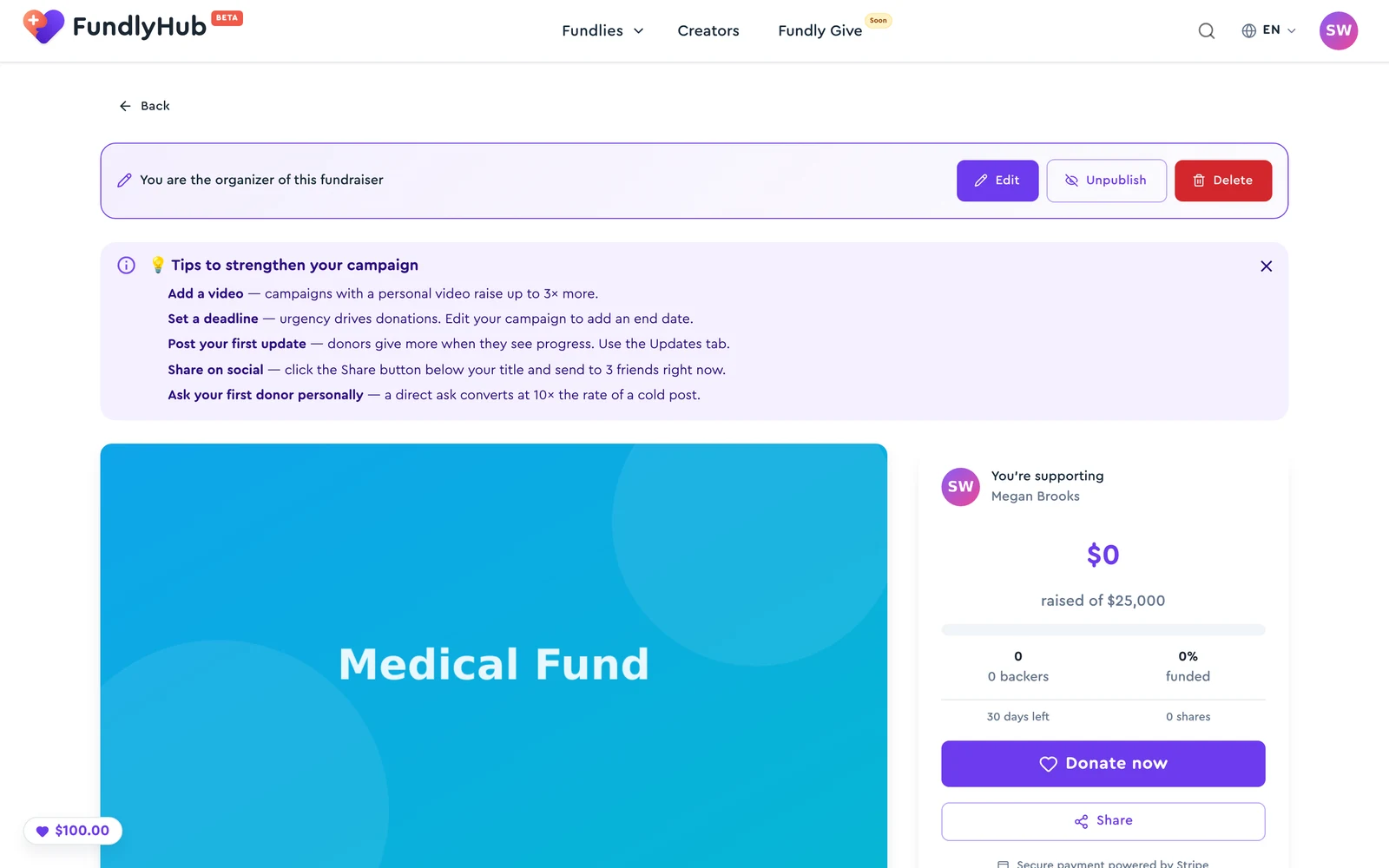
| Button | What it does | When it's visible |
|---|---|---|
| Edit | Opens your campaign in the builder (/create?edit=…) — change the title, story, images, goal, anything | Always |
| Unpublish | Moves the fundraiser back to drafts (hidden from the public). Toast: "Your fundraiser has been moved to drafts." | Only while $0 raised |
| Delete | Permanently removes the fundraiser, after a confirmation: "This action cannot be undone." → Yes, delete it / Cancel | Only while $0 raised |
Once donations arrive
After the first donation, Unpublish and Delete disappear — a campaign that has received money can't be silently removed. Edit remains available at all times.
You'll also see a dismissible "Tips to strengthen your campaign" panel with suggestions like adding a video, setting a deadline, and posting your first update.
Post updates to your supporters
Updates are the main way to keep donors engaged — they appear in the Updates tab of your campaign page.
- Open the Updates tab
- Click Post Update
- Fill in the dialog:
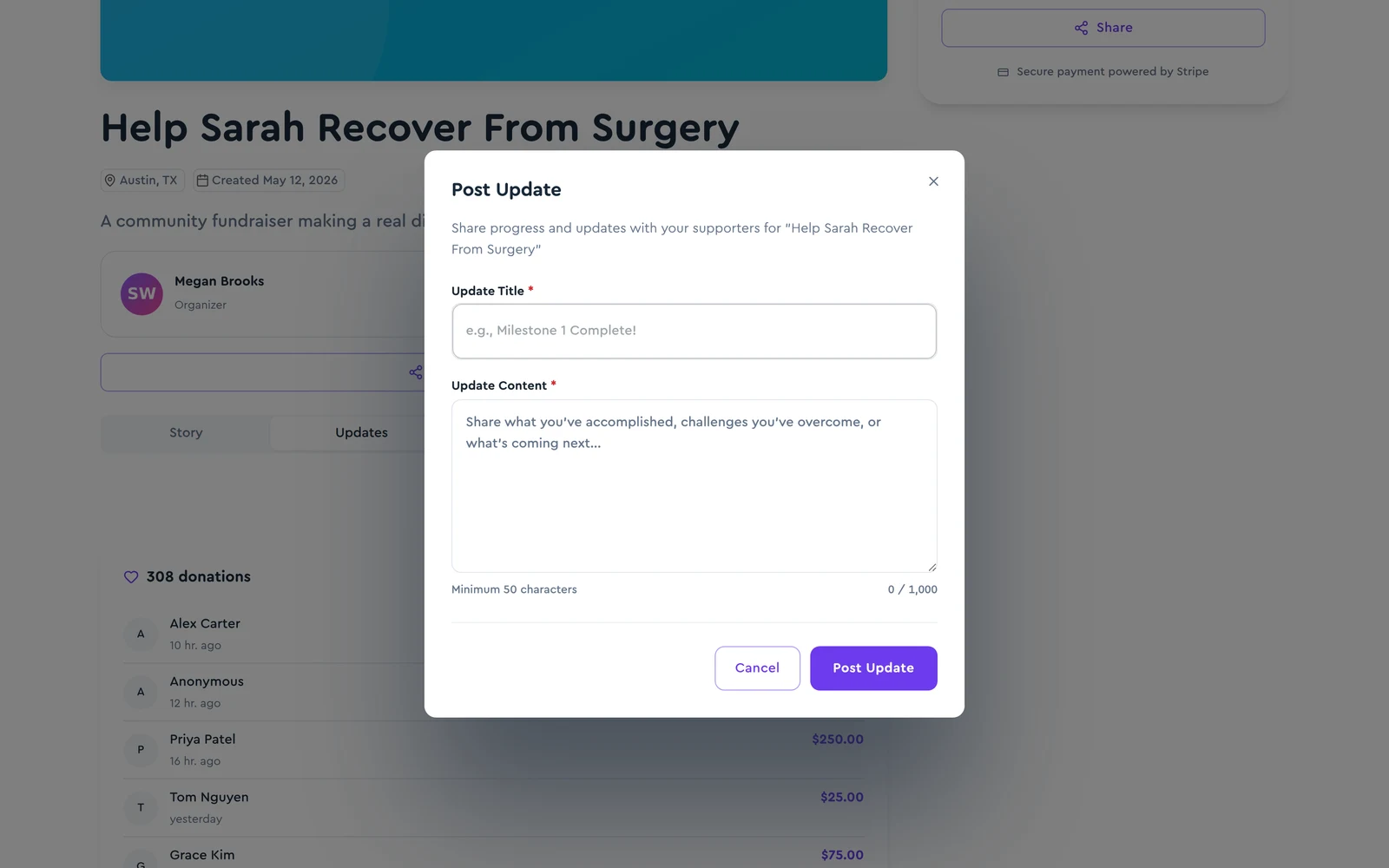
- Update Title — e.g. "Milestone 1 Complete!"
- Update Content — minimum 50 characters, maximum 1,000
Click Post Update to publish. Each update shows a delete (trash) icon — removing one asks for confirmation: "Are you sure you want to delete the update …? This action cannot be undone."
Posting needs a verified email address. A new update is translated into the other site languages automatically, and lands — unread — in the updates feed of everyone who follows you (or your organization) and everyone who gave to the campaign while signed in. See Following & Campaign Updates.
Share with your personal referral link
Click Share (next to Donate now) to open the Quick share dialog:
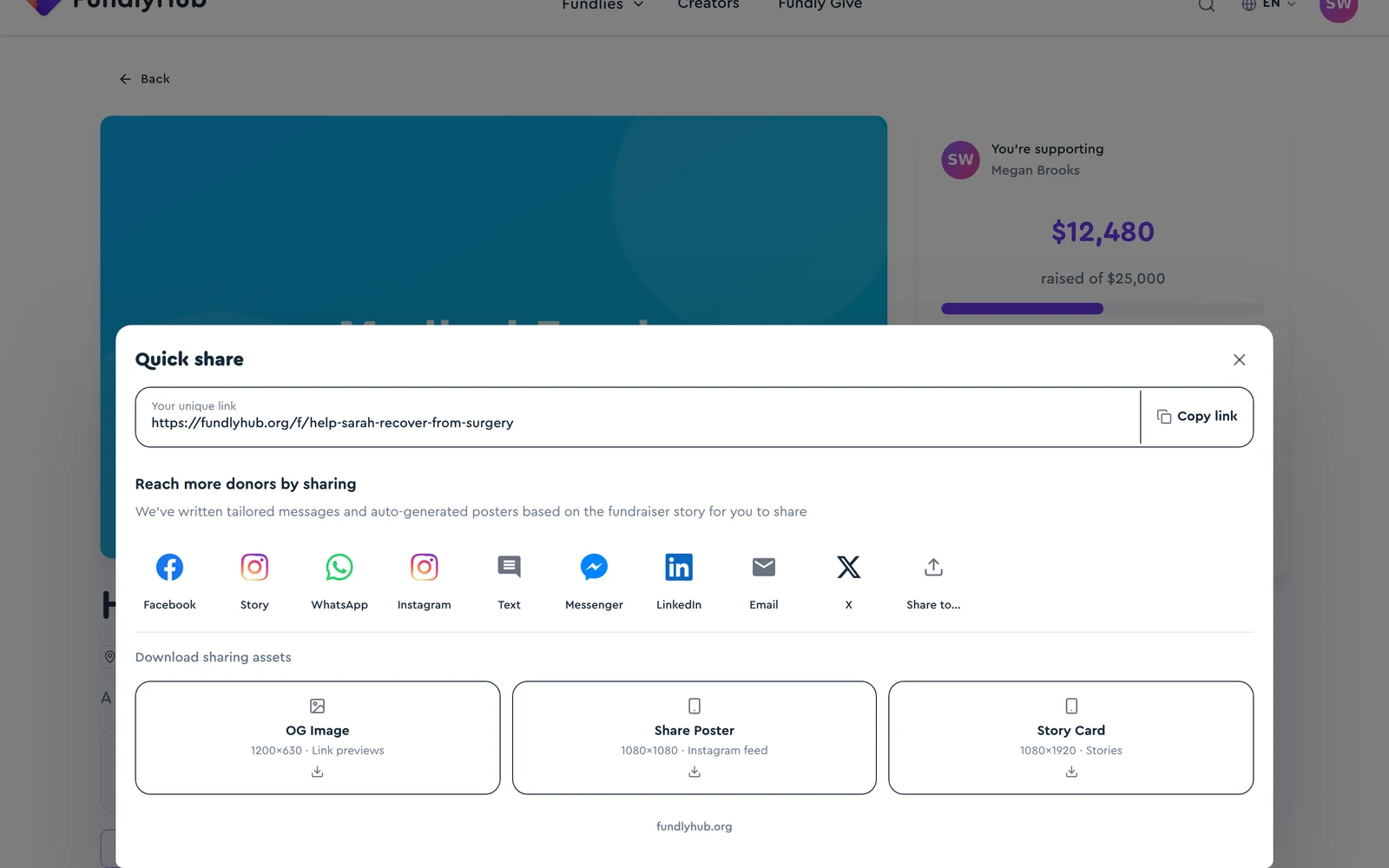
- Your unique link + Copy link — when you're signed in, FundlyHub generates a personal
/r/referral link for this campaign, so clicks and donations from your shares are attributed to you (see the Referral program guide). Signed-out visitors get the plain/f/link. - Reach more donors by sharing — one-tap share buttons for Facebook, Story, WhatsApp, Instagram, Text, Messenger, LinkedIn, Email, X, and the device's native Share to… sheet.
- Download sharing assets — three auto-generated graphics: OG Image (1200×630, link previews), Share Poster (1080×1080, Instagram feed), Story Card (1080×1920, Stories).
Ask ambassadors to share
Open Edit and use Request endorsement to pick up to 12 FundlyHub Ambassadors. Each one is emailed your campaign's share kit and asked to share it; donations that come through their referral links are credited to them. Ambassadors you've already asked are marked Already asked.
People who vouch for your campaign — by endorsing it, or by sending real visitors to it through their own link — appear in its Endorsed by list.
Donations, comments, and milestones
- Donations — the campaign page lists recent donations with names (or "Anonymous"), amounts, and messages; a live ticker shows new donations in real time.
- Comments tab — supporters can comment ("Leave a comment of support…" → Post Comment). You can delete your own comments via the trash icon.
- Milestones tab (Projects only) — campaigns created as a Project show their milestone list with per-milestone targets and progress.
Closing a campaign
Set an end date (via Edit) and the campaign automatically flips to ended when the date passes — it stays visible for donors' records, with a closed status chip. Campaigns that reach their goal show a "🎉 Goal reached" chip.
Quick reference
| Edit anything | Edit → the campaign builder, any time |
| Update length | Title required, body 50–1,000 characters |
| Unpublish / Delete | Only while $0 raised |
| Share assets | OG image, square poster, story card — auto-generated |
| Referral attribution | Signed-in shares use your personal /r/ link |
| Ask ambassadors | Edit → Request endorsement, up to 12 |
| Support | tech@cyty.io |
Last updated: October 2026 — screenshots from June 2026.