

How to Sign Up and Create a Fundraiser on FundlyHub
📱 Time: 3–5 minutes | 📊 Difficulty: Easy
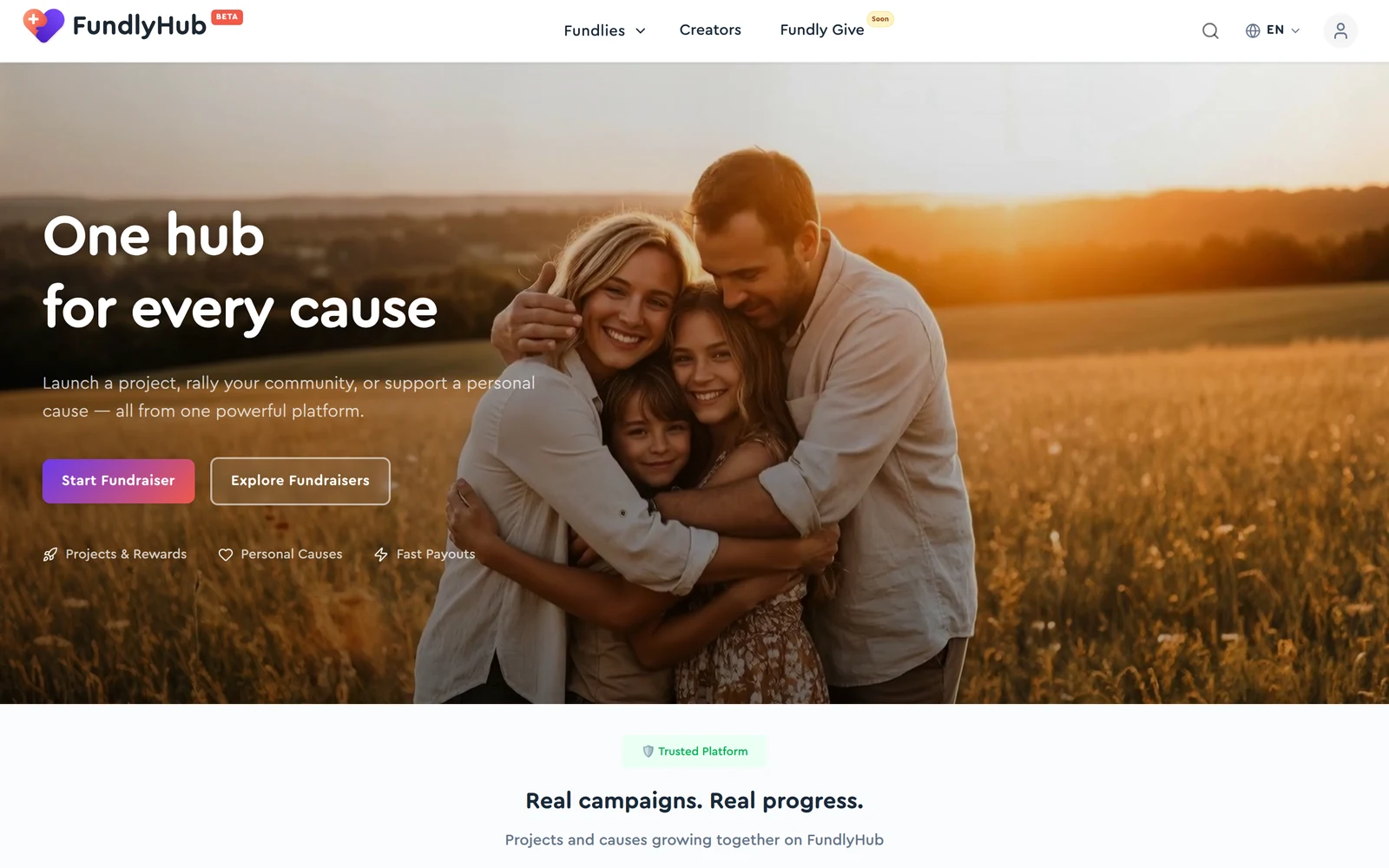
Step 1: Open the site
Open your browser and go to fundlyhub.org.
Click "Start Fundraiser" — the big button in the middle of the homepage.
Step 2: Sign up
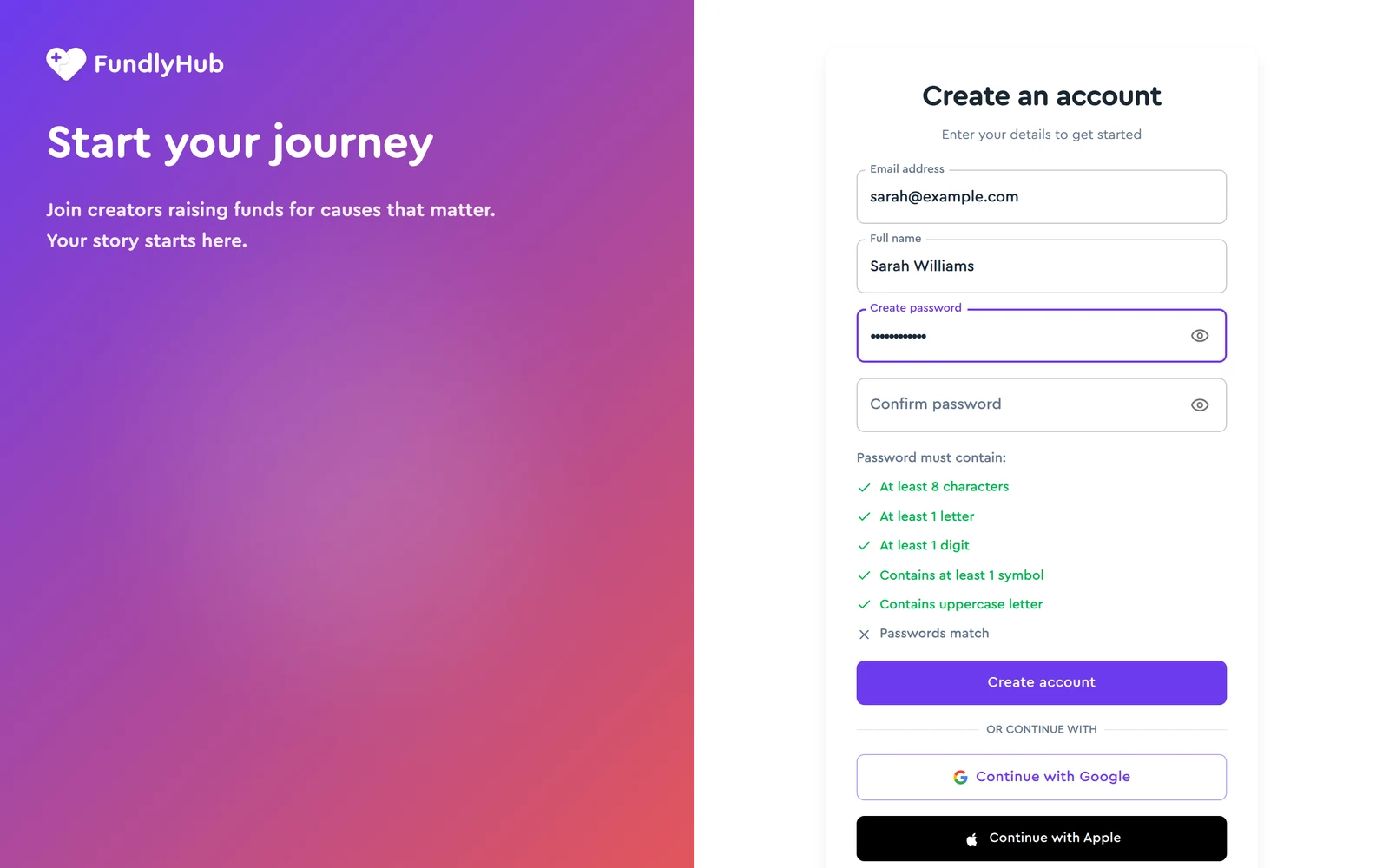
The sign-in page opens. You have three options:
- Google — the fastest (recommended)
- Apple — if you have an iPhone
- Email — the classic way
Click "Continue with Google" and pick your account.
Signed up with email? Click the link in the "Verify your FundlyHub email address" message. You can start your campaign before it arrives — the builder saves a draft — but you can only publish once your email is verified. See Save a draft before verifying your email.
Step 3: Complete your profile
Before you can publish a fundraiser, your profile needs to be complete — the checklist banner on your profile page shows what's missing:
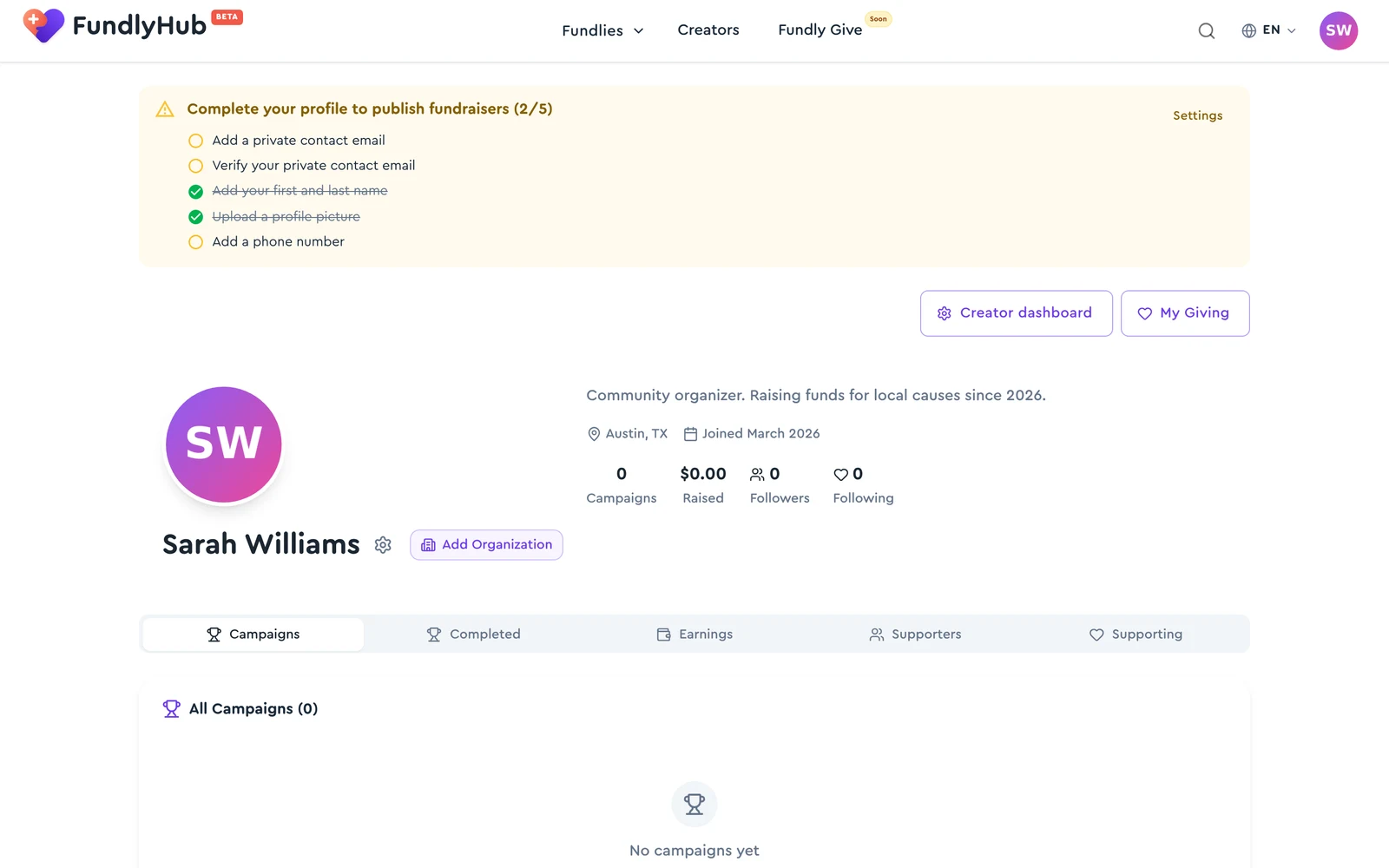
Click Settings on the banner and fill in:
- Display name — first and last name, separated by a space
- Profile picture — a clear photo of your face
- Phone number — private, never shown to donors
- Private contact email — add it and verify via the email link
Step 4: Create the fundraiser
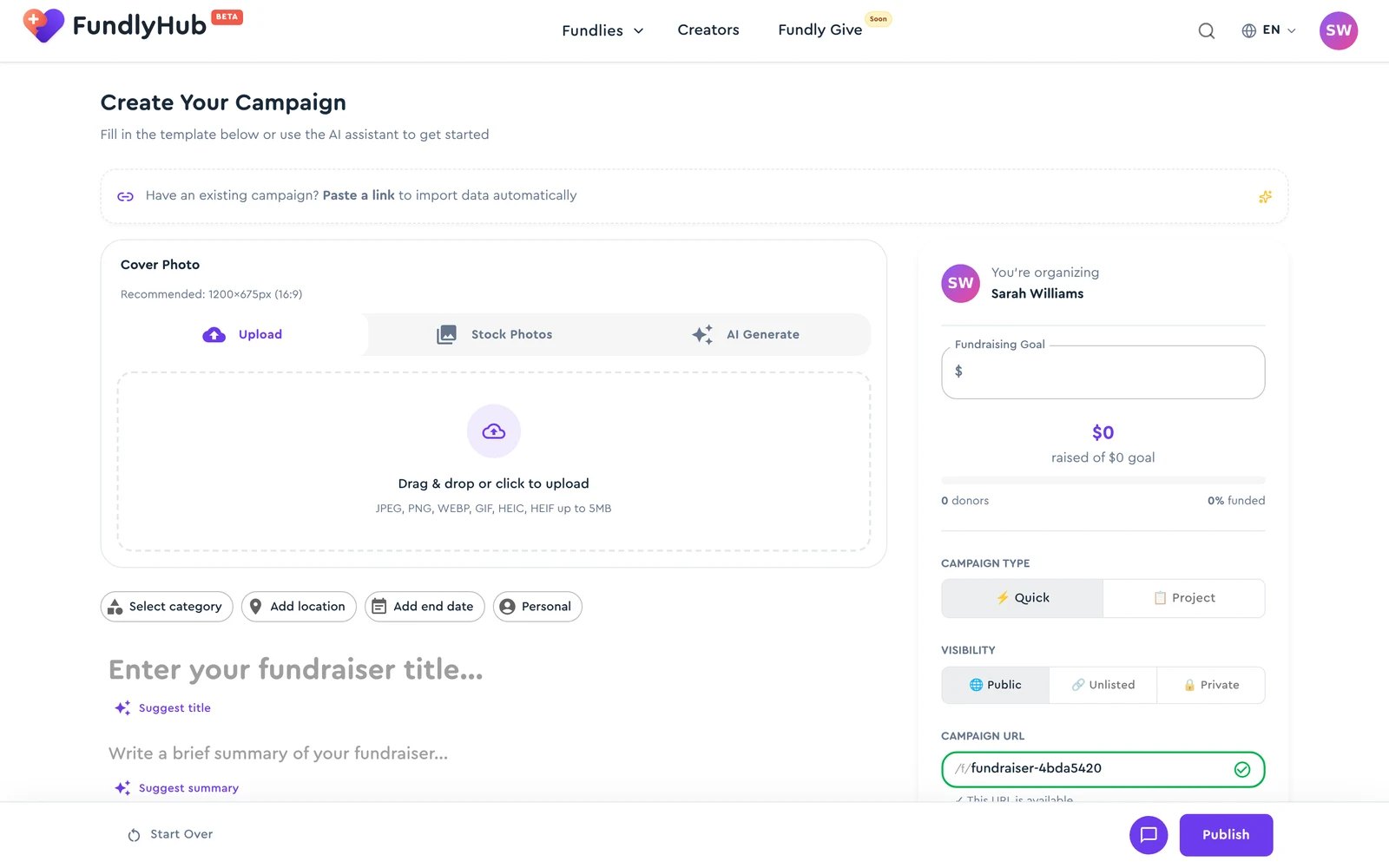
After signing in, the campaign builder opens. Fill in:
Cover photo
- Click the upload area
- Choose: upload your own photo / stock photos / AI generation
Title
- Enter your fundraiser's name
- Click ✨ Suggest title for an AI suggestion
Summary
- Describe the essence in 1–2 sentences
- Click ✨ Suggest summary for AI help
Story
- Tell more about yourself / the project
- Minimum 150 characters
- Click ✨ Write story to let AI help you write
Step 5: Campaign settings
In the sidebar, configure:
- Goal — how much you need to raise
- Type: Quick or Project
- Visibility: Public / Unlisted / Private
- URL — customize it if you like
Step 6: Publish
Click Publish at the bottom of the page.
Done! Most fundraisers go live straight away and are available at their link. Some are held for a quick review by our team first — you'll get the outcome by email. If Publish is greyed out, hover over it: the tooltip says what's missing (usually a verified email or an incomplete profile).
💡 Tips for success
- Photo + video — the better the cover, the better the results
- A personal story — people give to those they trust
- Regular updates — post news about your progress
- Share on social media — your fundraiser link is always available
Next step
After creating your fundraiser, connect a way to receive the money: