

Account & Security
All account settings live in one place: your avatar (top-right) → Profile Settings, or directly at fundlyhub.org/profile/settings. The page is organized into sections, top to bottom: Profile, Profile URL, Social Links, Private Contact, Email & Authentication, Change Password, Notifications, Two-Factor Authentication, API Keys, and Account.
Profile, URL, and social links
- Profile — your first/last name and avatar ("JPEG, PNG, WebP, or HEIC. Max 5MB.").
- Profile URL — a custom short URL for your public profile: "Use 3-30 characters, letters, numbers, and hyphens."
- Social Links — add profiles for Twitter/X, LinkedIn, Facebook, Instagram, YouTube, TikTok; "We'll auto-detect the platform from the URL."
(The Profile / Private Contact requirements that gate publishing a fundraiser are covered in Create a Campaign, step 2.)
Password
The Change Password section appears only if you signed up with email — Google/Apple sign-ins manage their password with the provider. Fields: Current Password, New Password ("Minimum 8 characters"), Confirm New Password → Change Password.
Notification preferences
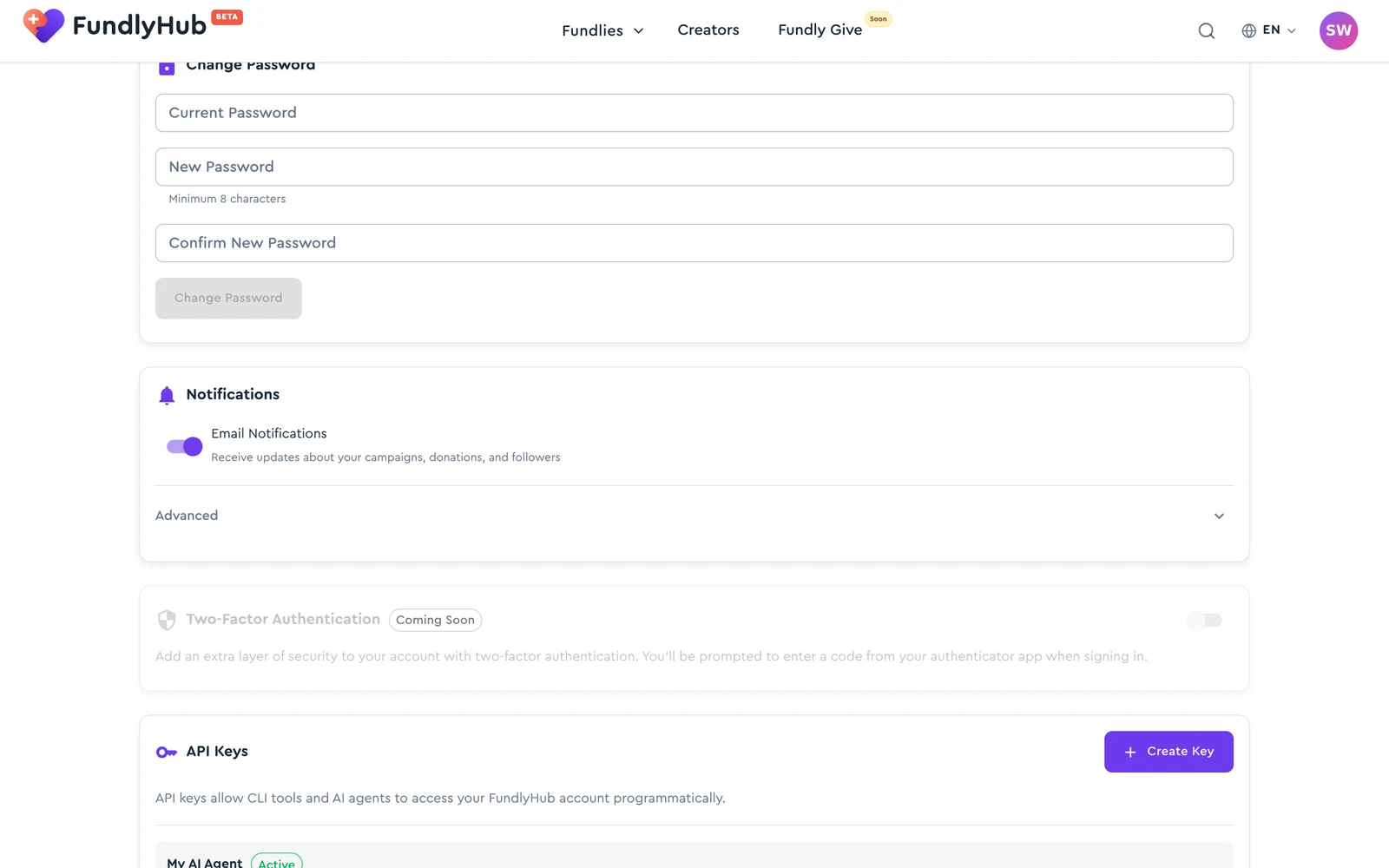
- Email Notifications (master switch) — "Receive updates about your campaigns, donations, and followers"
- Expand Advanced for granular control:
- Campaign status — approvals, reviews, rejections, goal reached
- Donations — "Email me each time someone donates to my campaign"
- New followers — "Email me when someone follows my profile"
- Campaign updates — "Notify me about updates from campaigns I support"
- Comments — "Email me when someone comments on my campaign"
- Milestones — "Notify me when a campaign I support reaches a milestone"
- Organization status — approval, suspension or reinstatement of your organization
- Payouts & money movement — funds released, payouts on the way, arrived, or needing information
- Weekly digest — a once-a-week summary, skipped on weeks with no activity
- Donation reminders — up to two reminders if you start a donation and don't finish
- Endorsement requests — when a creator asks you, as an ambassador, to share their campaign
Changes save immediately ("Preferences saved"). "Some money emails — failed payouts and refunds — are always sent for safety reasons."
Unsubscribed from an email link?
If you used the unsubscribe link in one of our emails, the matching switch here shows as off. Turning it back on here resubscribes you to that kind of email.
Two-factor authentication
The Two-Factor Authentication section is currently marked Coming Soon: "Add an extra layer of security to your account with two-factor authentication. You'll be prompted to enter a code from your authenticator app when signing in." The toggle is visible but not yet enabled.
API keys
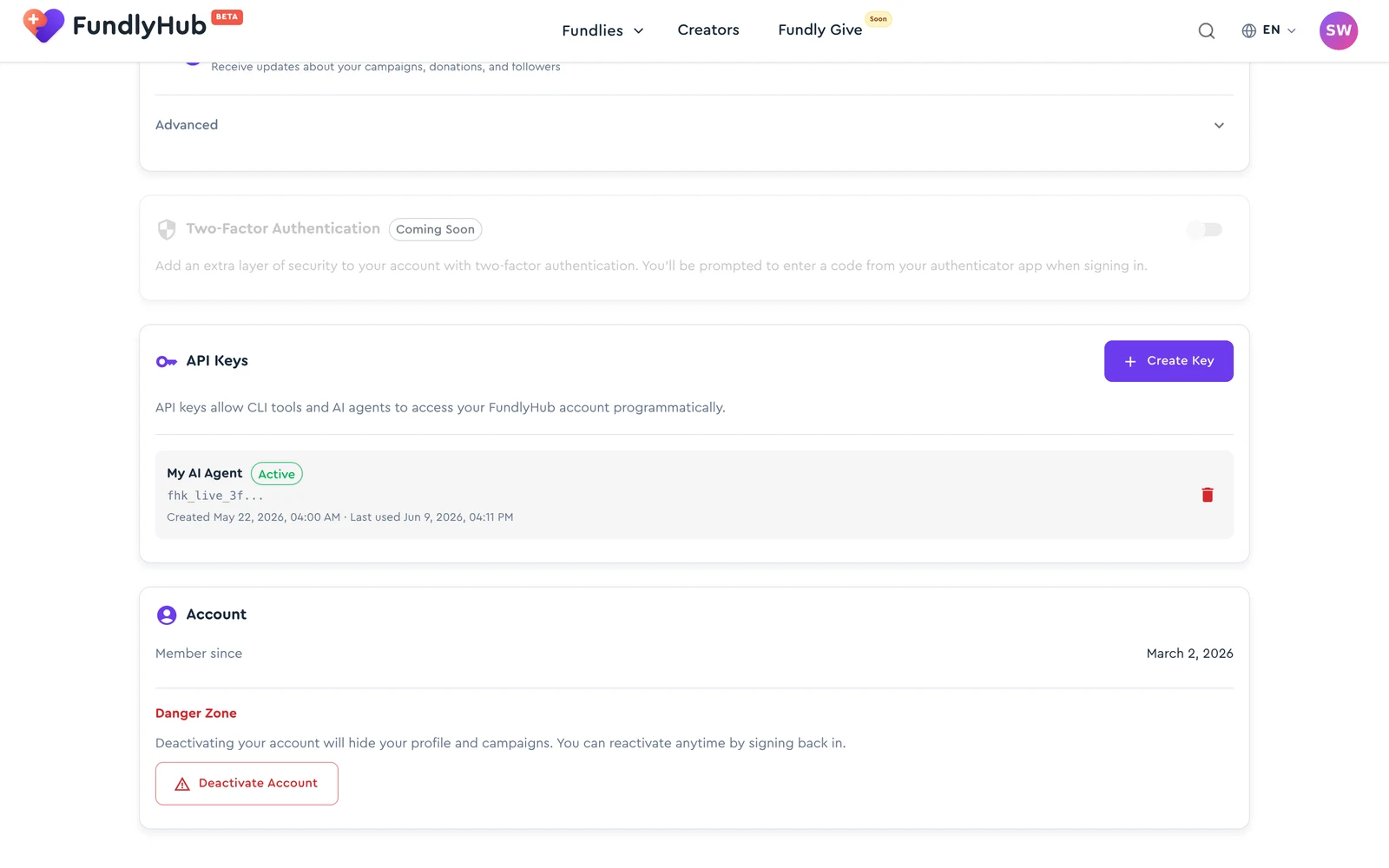
"API keys allow CLI tools and AI agents to access your FundlyHub account programmatically."
- Create Key → name it ("e.g. My AI Agent") → the key (it starts with
fh_live_) is shown once — copy it immediately. - Existing keys list their status (Active/Revoked), created date, and "Last used".
- The trash icon revokes a key instantly.
A key can do everything you can
An API key acts as you, with all of your account's permissions. Keep it as safe as your password, and revoke any key you no longer use.
See the API Reference for what you can build with one.
Deactivating your account
At the bottom, the Account section shows "Member since" and the Danger Zone:
"Deactivating your account will hide your profile and campaigns. You can reactivate anytime by signing back in."
Deactivate Account opens a confirmation listing exactly what happens: hide your profile from other users, pause your active campaigns, log you out immediately — and confirms "You can reactivate your account at any time by signing back in." → Yes, Deactivate.
Campaigns holding funds
If you have active fundraisers with money raised, deactivation is blocked until those are resolved — you'll see an explanatory error instead.
Quick reference
| Settings | fundlyhub.org/profile/settings |
| Password | Email-auth accounts only; min 8 characters |
| 2FA | Coming Soon (visible, not yet enabled) |
| API keys | Shown once at creation; revocable anytime |
| Deactivation | Reversible — sign back in to reactivate |
| Support | tech@cyty.io |
Last updated: October 2026 — screenshots from June 2026.