

Your Donations & Statements
Every donation you make while signed in is kept in My giving: your giving at a glance, a history you can filter, a receipt for each paid gift, and annual summaries you can download.
The My giving dashboard
Open fundlyhub.org/donor (you need to be signed in).
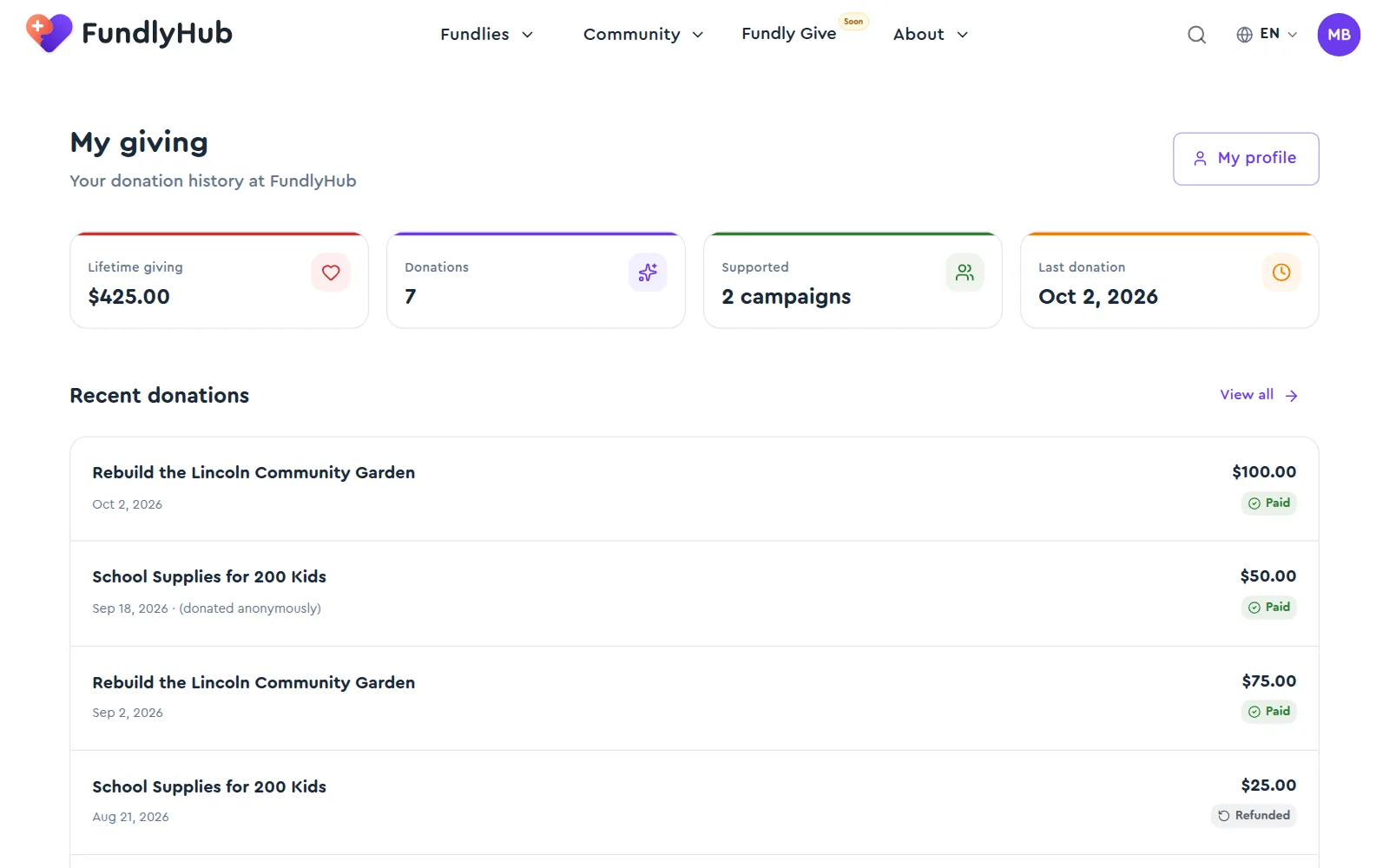

Four tiles sum up your giving:
| Tile | Meaning |
|---|---|
| Lifetime giving | Everything you've donated, refunded donations excluded |
| Donations | How many donations you've made |
| Supported | How many different campaigns you've supported |
| Last donation | The date of your most recent gift |
Below them, Recent donations lists your latest gifts, each linking to its campaign, with a View all link to the full history. My profile (top right) opens your public profile.
Anonymous donations still count
Donations you made anonymously appear in your own history, marked (donated anonymously). They are hidden from the public and from the organizer, not from you.
Full donation history
Click View all on My giving, or go to fundlyhub.org/donor/donations.
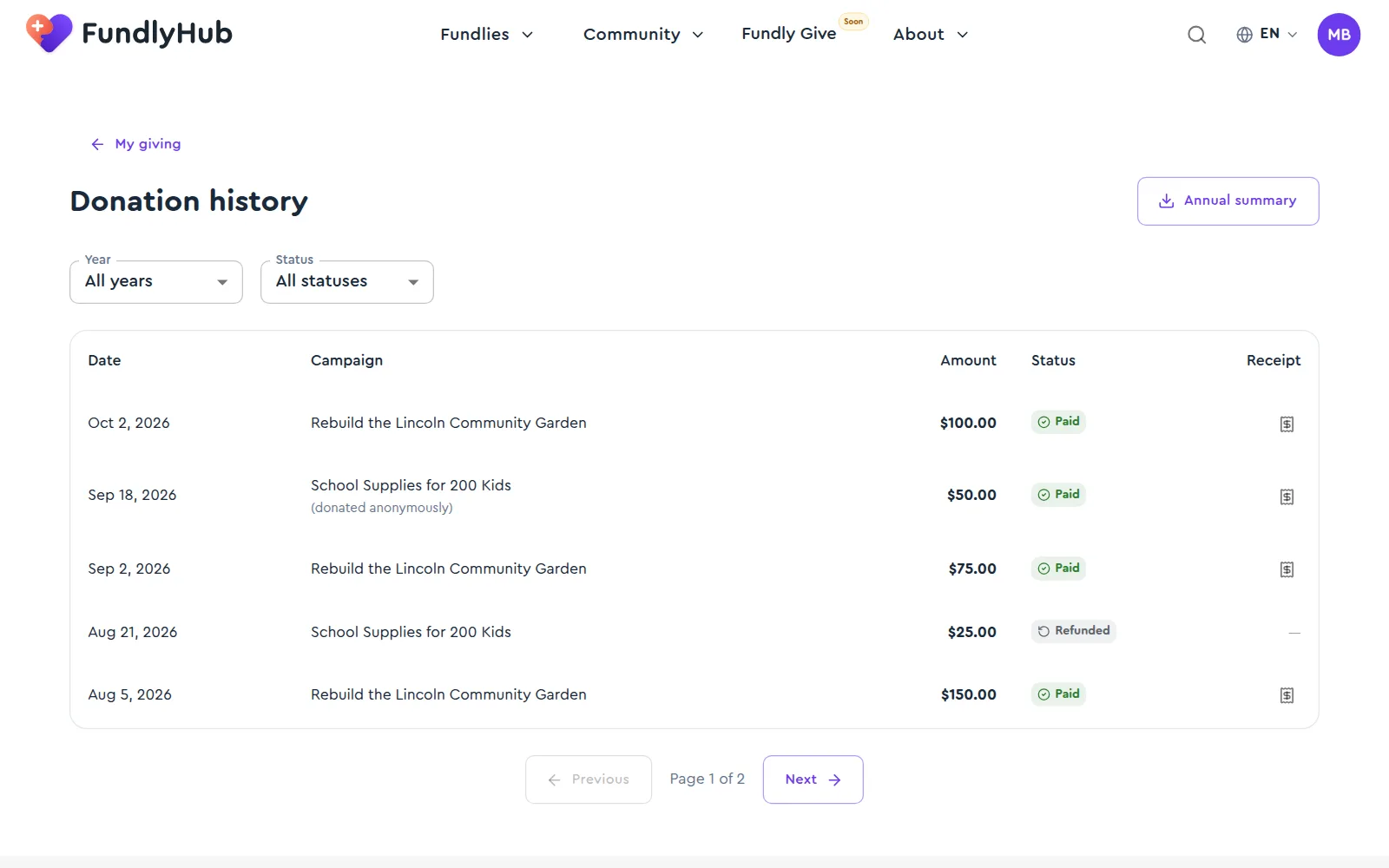
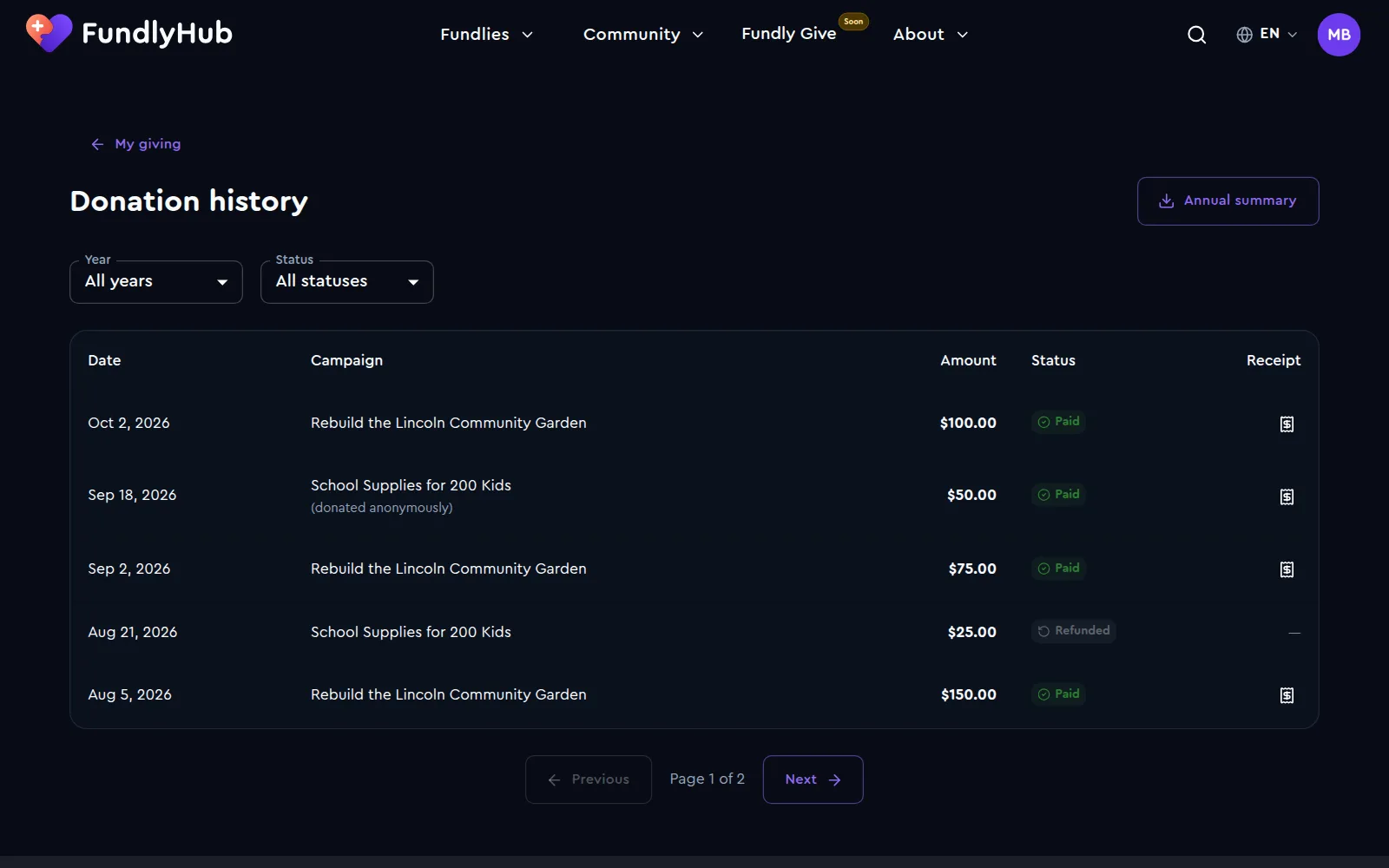
- Filters: Year (All years, or one year) and Status (All statuses, Paid, Pending, Refunded, Failed).
- Columns: Date, Campaign (linked), Amount, Status, Receipt.
- Pages: 20 donations per page, with Previous and Next.
Open any receipt again
Each paid donation has a receipt icon. It opens the same receipt page you saw right after donating, where you can download it again or email it to yourself. Refunded and failed donations have no receipt.
Annual summaries (PDF or CSV)
Click Annual summary at the top right of the history page:
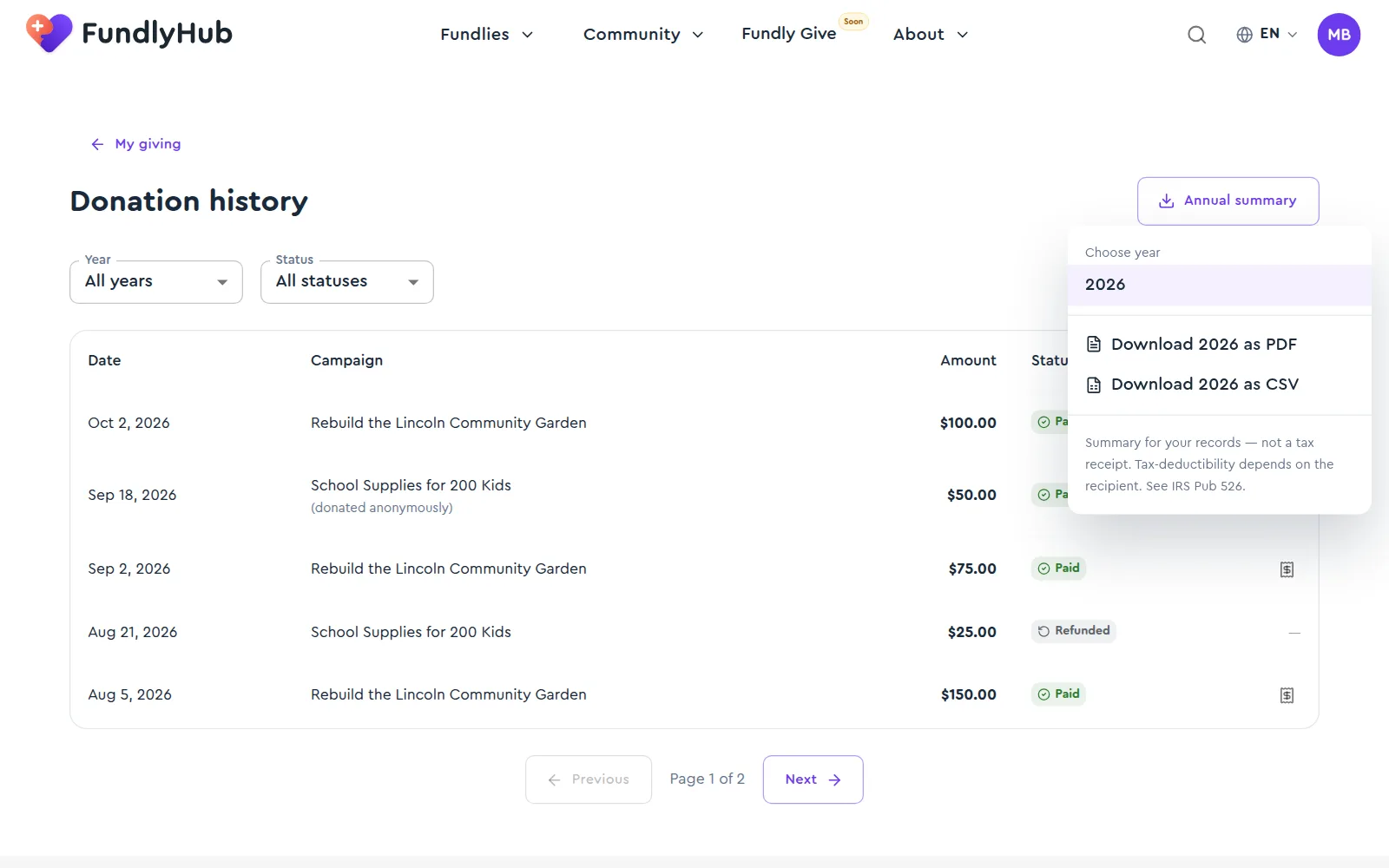
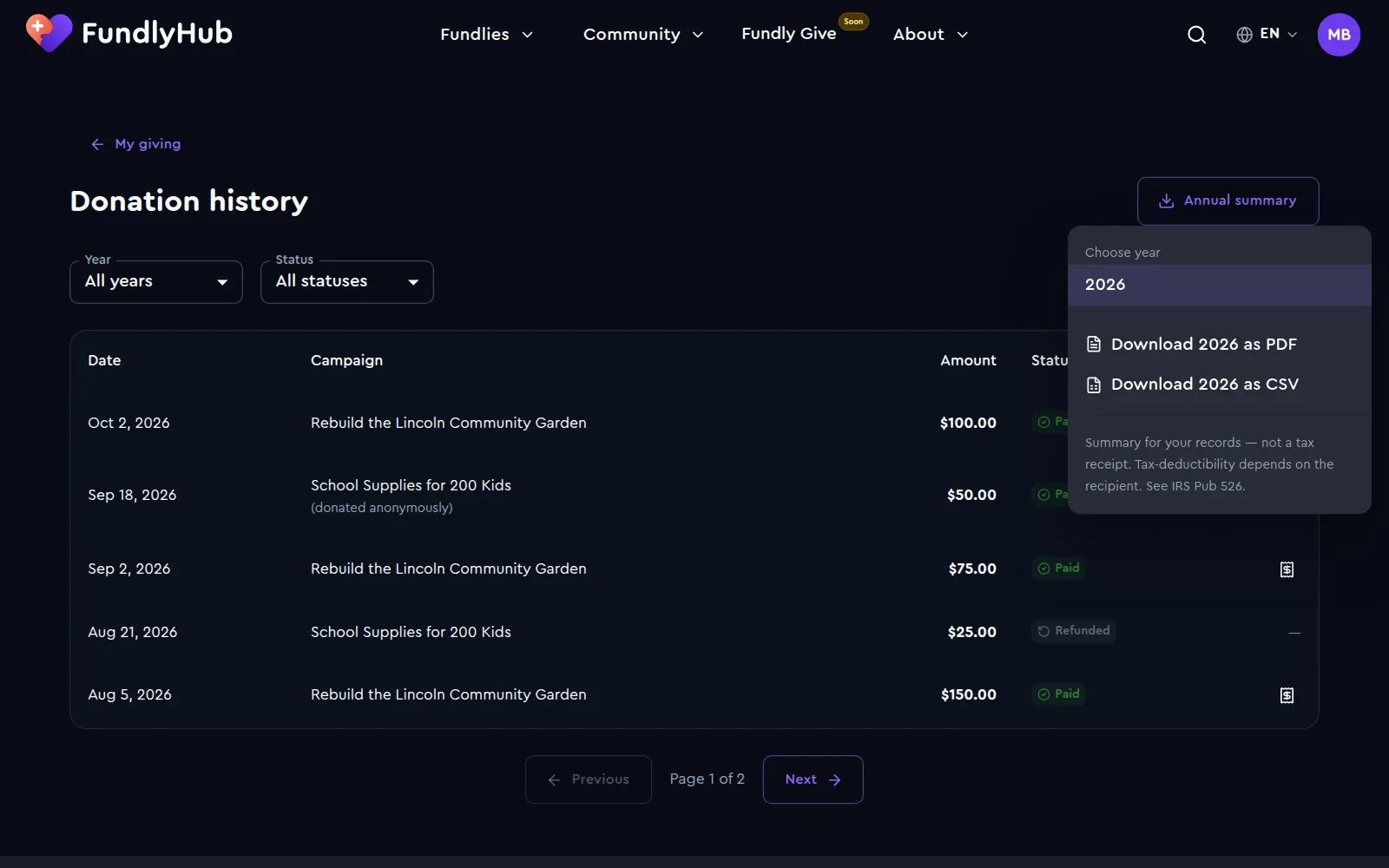
- Choose year
- Click Download 2026 as PDF or Download 2026 as CSV (the menu shows the year you picked)
The file lists all your donations for that year, which is useful for your records at tax time.
Not a tax receipt
The menu says it too: the summary is for your records and is not a tax receipt, and whether you can deduct a gift depends on the recipient (see IRS Publication 526). Gifts to personal fundraisers are not tax-deductible. Gifts to eligible charitable organizations may be tax-deductible, subject to applicable tax rules.
Quick reference
| Dashboard | fundlyhub.org/donor |
| Full history | fundlyhub.org/donor/donations |
| Filters | Year and status (Paid, Pending, Refunded, Failed) |
| Receipts | Open again from any paid donation |
| Annual summary | PDF or CSV, one year at a time |
| Support | support@fundlyhub.org |