

Creator Tiers & Subscriptions
Creators can define monthly support levels — "Each tier becomes a recurring subscription", billed through Stripe — and fans manage what they've subscribed to from one page.
For creators: defining tiers
Open fundlyhub.org/creator-dashboard/tiers (signed in):
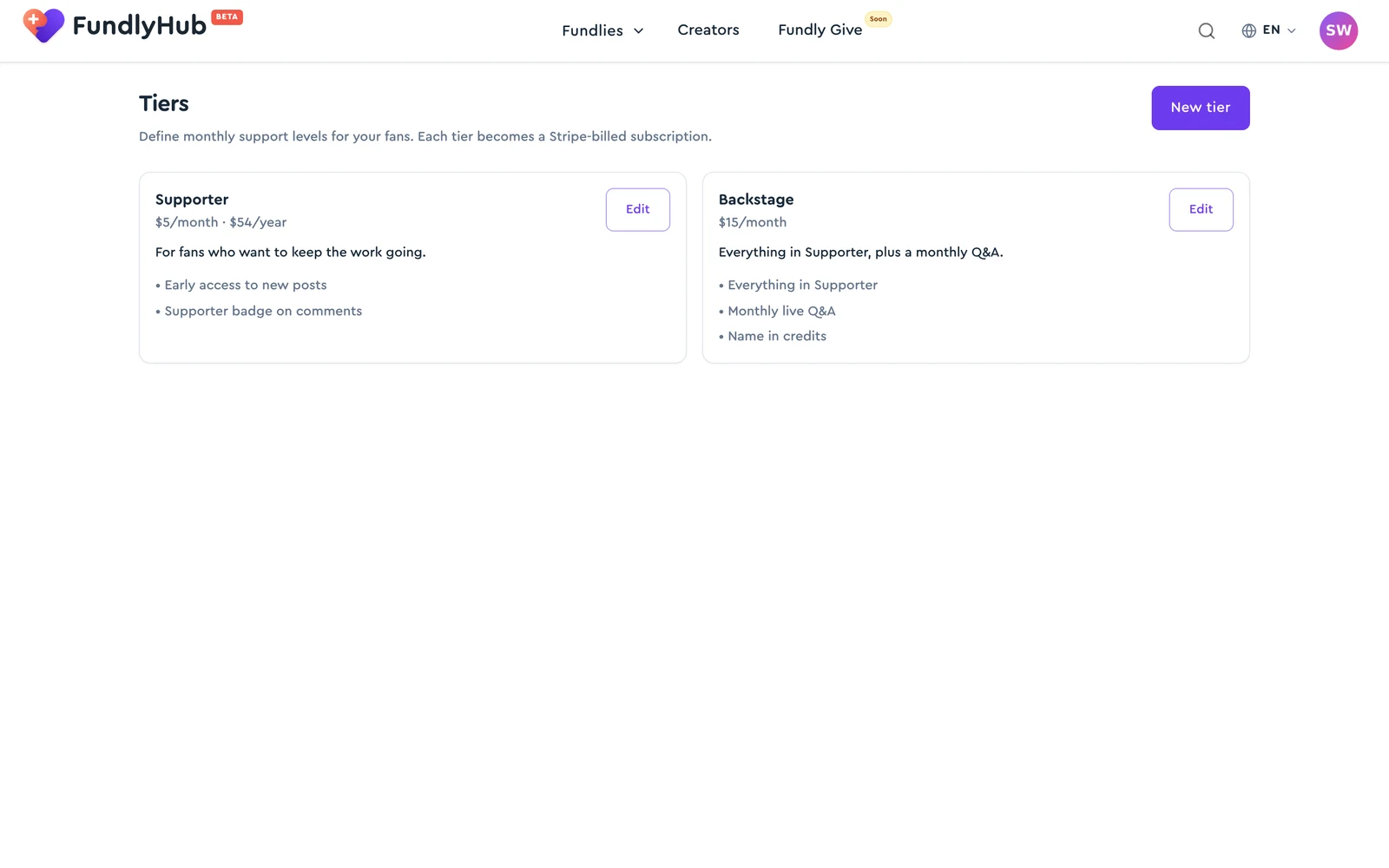
Each tier card shows its name, price (e.g. "$5/month · $54/year"), description, and benefit list, with an Edit button. Click New tier to create one:
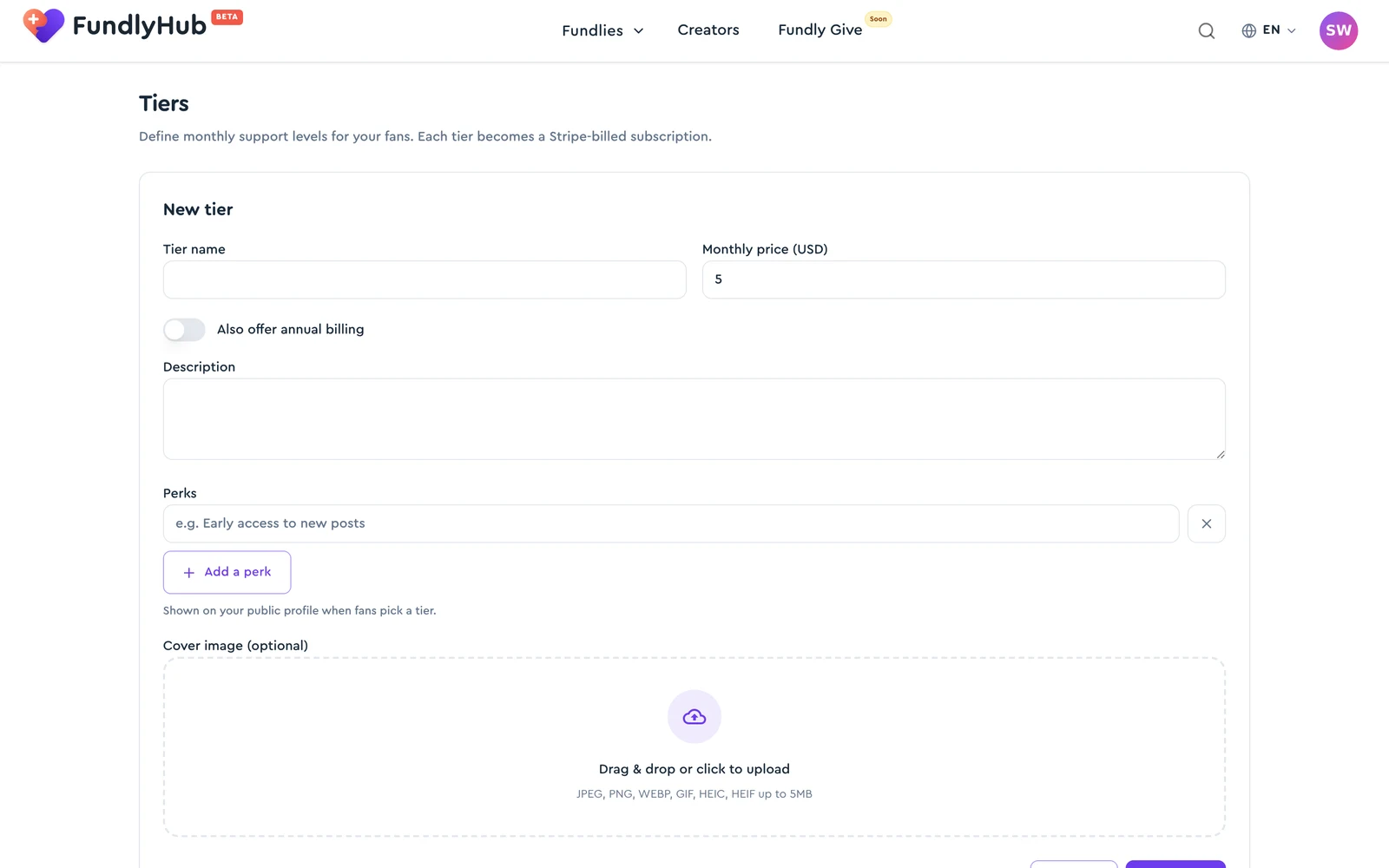
| Field | Notes |
|---|---|
| Tier name | Up to 100 characters |
| Monthly price (USD) | Required, positive number |
| Also offer annual billing | Toggle reveals Annual price (USD) — the hint suggests offering "12 months for the price of 10 (e.g. set monthly $5 → annual $54)" |
| Description | Up to 1,000 characters |
| Perks | One per line ("e.g. Early access to new posts", max 140 chars each) + Add a perk. "Shown on your public profile when fans pick a tier." |
| Cover image (optional) | Drag & drop — JPEG, PNG, WEBP, GIF, HEIC, HEIF up to 5MB |
Save tier publishes it to your public profile. Editing an existing tier also offers Archive — "Existing subscribers keep their subscription but new ones can't sign up." Archived tiers stay listed under Archived.
Payouts
Subscription revenue pays out through the same payout setup as donations — see Payouts.
For fans: subscribing
On a creator's public profile, pick a tier — the checkout at /subscribe/<tier-id> shows the tier's benefits and a Subscribe — $X button, which opens Stripe's payment form; Pay & subscribe completes it. Two notes shown at checkout, verbatim:
- "Applicable tax (where required) is calculated by Stripe at checkout and absorbed by the creator."
- "You're starting a recurring subscription. You can cancel anytime from /account/subscriptions; cancellation takes effect at the end of the current billing period."
Managing your subscriptions
fundlyhub.org/account/subscriptions lists everything you're subscribed to:
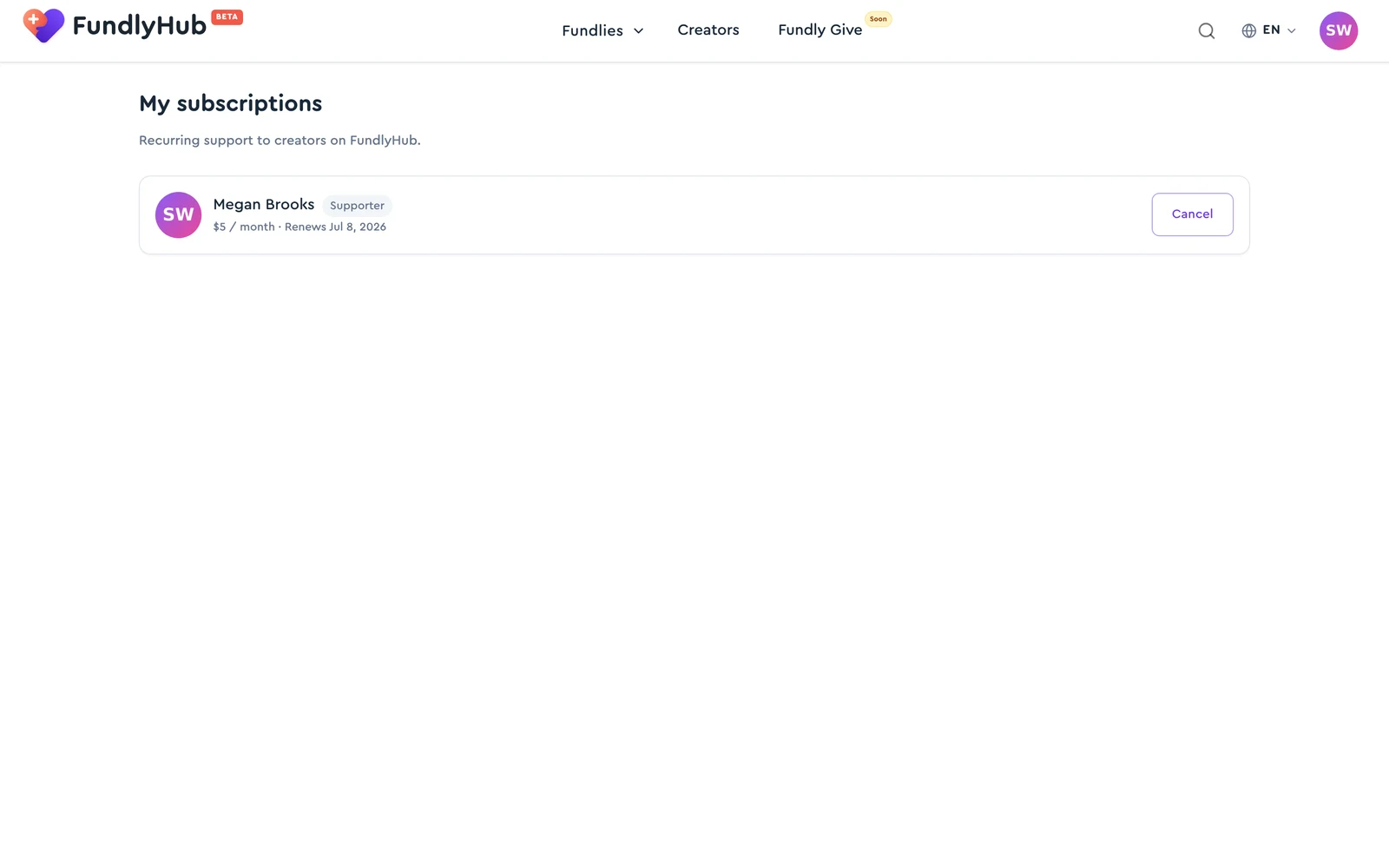
Each card shows the creator, the tier badge, the price ("$5 / month"), and the state — e.g. "Renews {date}", "Ends {date}" (after you cancel), or "Payment failed — please update your card".
- Cancel — confirmation: "You'll keep access until the end of the current billing period."
- Resume — undo a pending cancellation before the period ends
Quick reference
| Manage tiers | fundlyhub.org/creator-dashboard/tiers |
| Tier limits | Name 100 ch · description 1,000 ch · perks 140 ch each |
| Billing | Stripe subscriptions, monthly and/or annual |
| Your subscriptions | fundlyhub.org/account/subscriptions |
| Cancel behavior | Access until the end of the paid period |
| Support | tech@cyty.io |
Last updated: October 2026.