

Finding Fundraisers
Three ways to discover campaigns: browsing the catalogs, global search, and direct links. (For what happens once you've found one, see How to Give.)
Browse the catalogs
From the top navigation, the Fundlies menu links to the two catalogs:
- Fundraisers — fundlyhub.org/causes — personal fundraisers and charitable causes
- Projects — fundlyhub.org/projects — structured, milestone-based campaigns
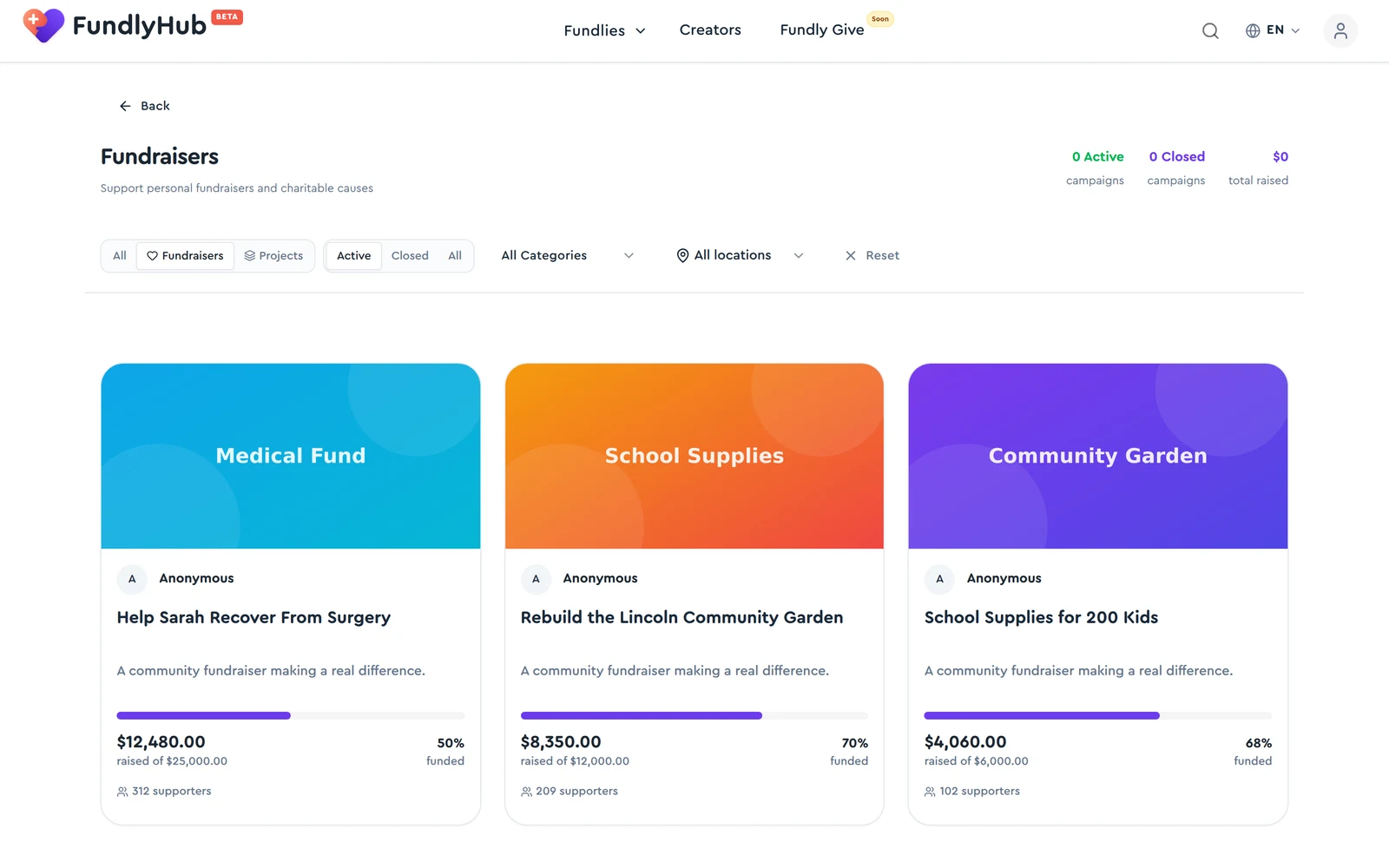
Filters along the top: Fundraisers / Projects type toggle, Active / Closed / All status, All Categories dropdown, and All locations. Every card shows raised vs. goal, percent funded, and supporter count.
While you're on the catalog, typing in the navbar search filters the catalog itself, using the same matching as global search; a "Show other … results" row takes you to matches from everywhere else.
The Creators link in the navigation opens the creators directory, where you can find people to follow and support directly.
Global search
The magnifying glass in the navbar searches everything at once. Results come back typed and filterable:
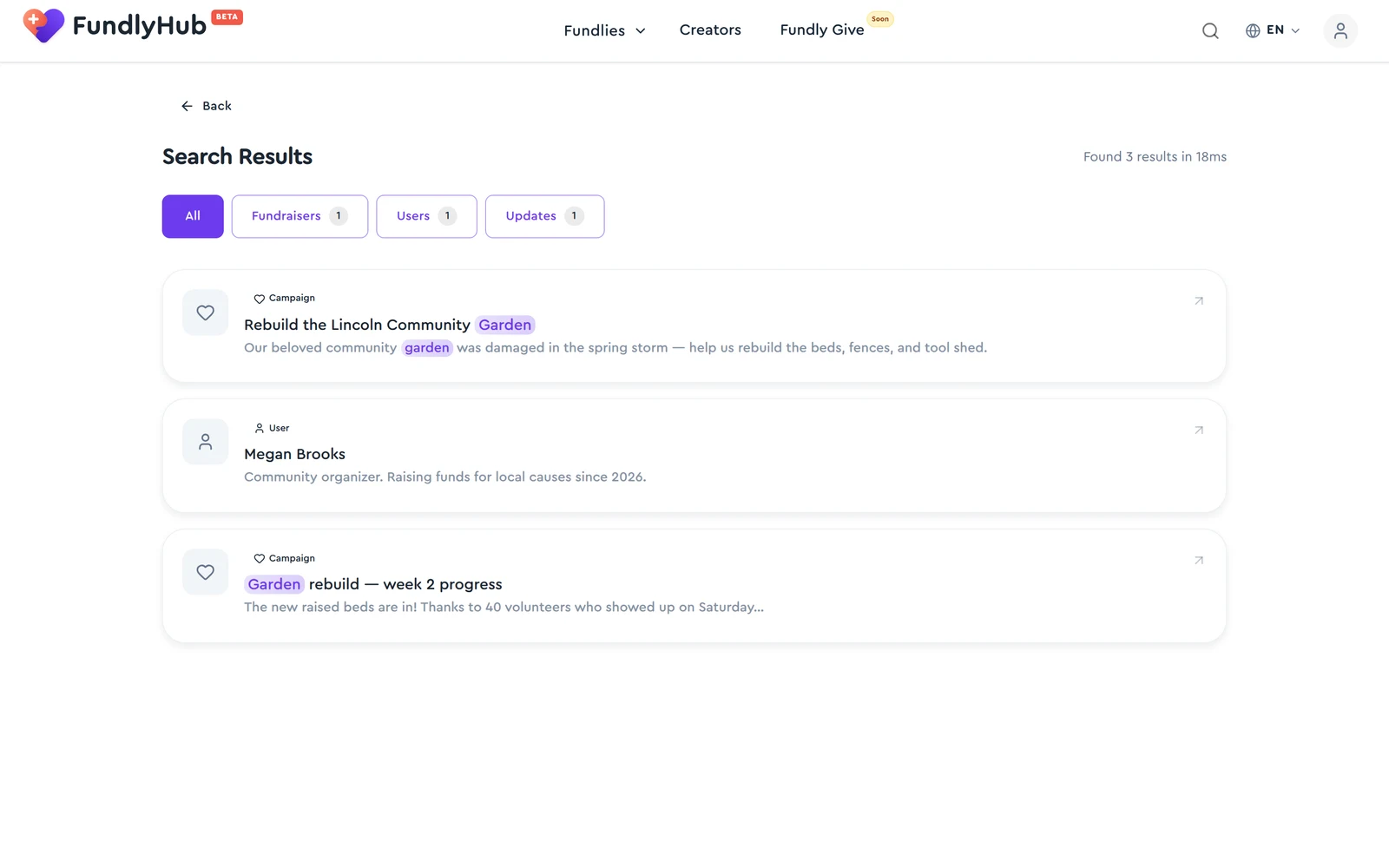
- Type chips with per-type counts: All / Campaigns / Users / Organizations / Donors (only types with hits are shown)
- Matched terms are highlighted in titles and snippets
- The header shows result count and speed — e.g. "Found 3 results in 18ms"
What each type matches:
- Campaigns — the title, summary, story, category and location of active public campaigns, and the title and summary in every language they're translated into. Searching a neighborhood, school, or cause name often finds campaigns whose titles never mention it. Title matches come first.
- Users — names and profile handles (type
@handleto jump straight to someone), and bios of public profiles. - Organizations — legal names, "doing business as" names and descriptions of verified organizations.
- Donors — people who gave without an account, by the name they gave, and anonymous donors by the alias shown on the donor wall. Email addresses are never searched.
Search matches any part of a word but doesn't correct typos: donation finds donations, while donations won't find donation. If you get nothing, try a shorter word.
Direct links & profiles
- Campaign links look like
fundlyhub.org/f/<name>(a shared/r/<code>link is the same campaign via someone's referral) - Every organizer links to their profile — see their other campaigns and follow them
- Organization campaigns link to the org's public profile with its verification badge and trust documents
Quick reference
| Fundraisers | fundlyhub.org/causes |
| Projects | fundlyhub.org/projects |
| Creators | fundlyhub.org/creators |
| Search types | Campaigns, users, organizations, donors |
| Support | tech@cyty.io |
Last updated: October 2026 — screenshots from June 2026.