

How to Connect Stripe and Withdraw Money
💰 Time: 5–10 minutes | 🔒 Security: Stripe
Where is it?
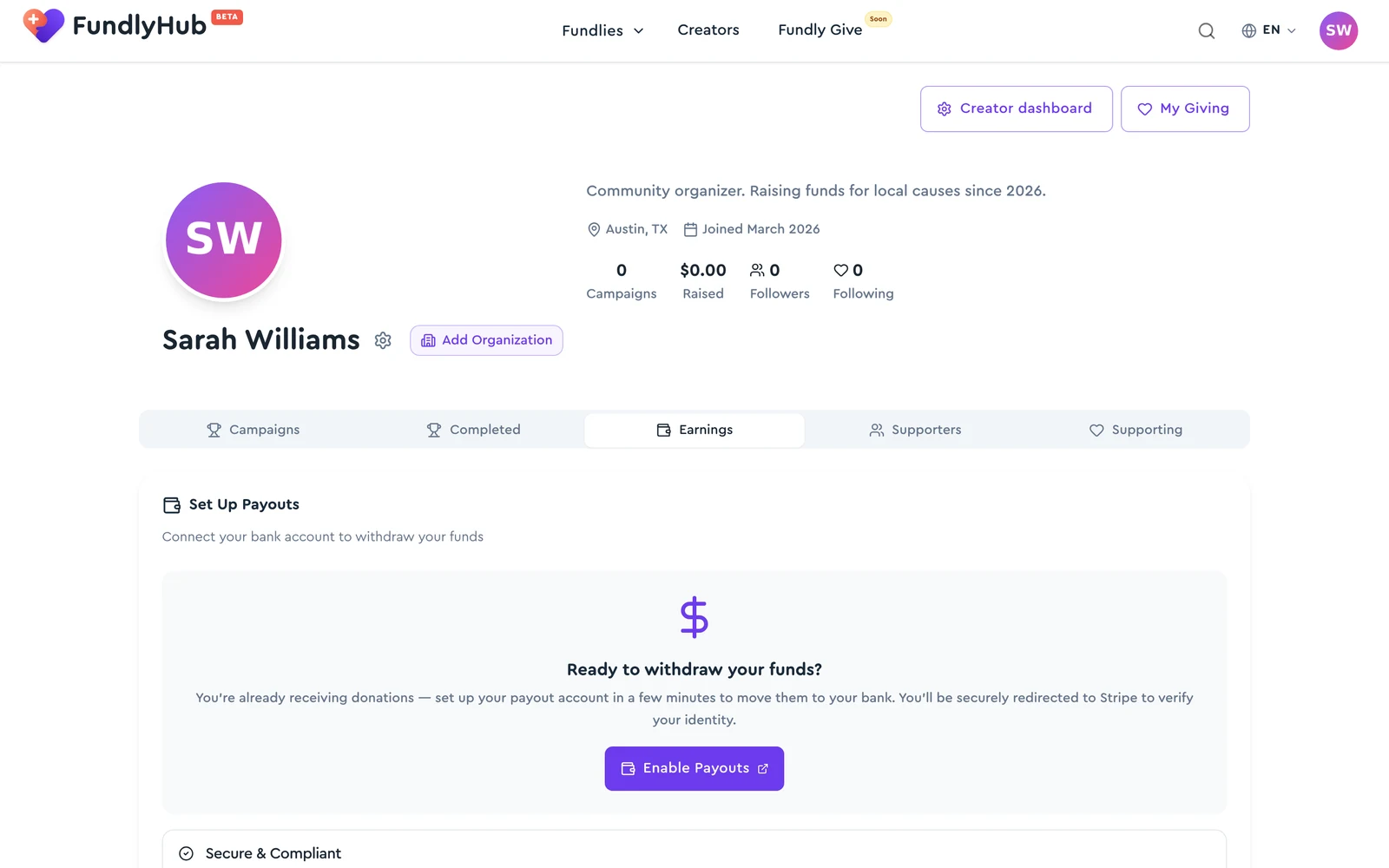
All payout settings live in your Profile, under the Earnings tab:
- Go to fundlyhub.org/profile
- Click the Earnings tab
Why Stripe?
Stripe lets you:
- Accept payments from donors
- Withdraw money to your bank account
- Issue official receipts
Step 1: Connect Stripe
On the Earnings tab, click "Enable Payouts".
You'll be redirected to Stripe's site to register.
Step 2: Register with Stripe (Express)
Fill in your details on Stripe:
- Email — your working email
- First and last name — as in your ID
- Date of birth — for verification
- Address — ZIP code and city
- Bank account — where the money will arrive
Step 3: Verification
After you submit, Stripe may ask for:
- A selfie with your ID
- A photo of your bank card
- Phone number confirmation
Step 4: Done!
After the review, Stripe sends a confirmation email.
The Earnings tab now shows four tiles, ordered by how money moves through it:
- Total Raised — everything your fundraisers have collected
- Pending — money on the way but not yet ready to withdraw (click to see the breakdown — see below)
- Available — cleared and ready to send to your bank
- Withdrawn — already paid out to your bank
What's in "Pending"? (View breakdown)
The Pending tile is clickable. Tap View breakdown and the Pending balance breakdown dialog opens, showing exactly where your pending money is donation by donation. It can have up to three sections, and a Refresh button in the top corner re-checks the latest state:
| Section | What it means |
|---|---|
| In Stripe processing | Pending until your card transactions settle — typically 2–7 days. |
| Awaiting settlement | Donations to your fundraisers from before you connected Stripe. Each will move to your Stripe balance once it clears its hold period (the dialog shows the Available on date per donation). |
| Ready to transfer | Cleared and queued for transfer on the next sweep — usually within hours. |
Each row links to the fundraiser the donation came in on. If a section is empty it's hidden; when nothing is pending you'll see "No pending donations — you're caught up."
Money received before you connected Stripe isn't lost
Donations that arrive before you finish Stripe onboarding are held safely by FundlyHub (you'll see them under Awaiting settlement). After you connect Stripe, each of those charges transfers to your balance automatically once it settles — you don't have to do anything. If an amount stays in Ready to transfer for more than 24 hours, email tech@cyty.io.
How do I withdraw money?
When there's an available balance:
- Go to Profile → Earnings
- Click Withdraw All Funds
- The full available balance is sent to your default bank account
The money arrives in your bank account within 2–7 business days.
Automatic payouts
Under Payout Schedule you can switch from manual withdrawals to automatic daily, weekly, or monthly payouts, so you never have to press the button yourself.
💡 Worth knowing
- Stripe fee: ~2.9% + $0.30 per payment
- Withdrawal: 2–7 business days
- Minimum withdrawal: check with Stripe
- Currency: USD
FAQ
Can I connect a non-US account? For now, Stripe on FundlyHub works primarily with US accounts.
What if Stripe rejected me? Double-check your details and make sure they match your ID. Try again or contact support.
Money stuck? Contact FundlyHub support: tech@cyty.io
Done! 🎉
Now you know how to connect Stripe and withdraw money from FundlyHub!